
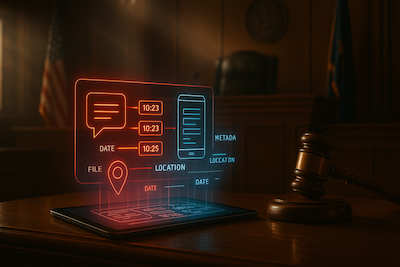
Digital Evidence Hygiene 101 — Preserving Screenshots, Chats, and Device Metadata So It Holds Up
A surprising number of investigations don’t fall apart because the underlying facts are weak—they fall apart because the evidence is fragile. A screenshot gets compressed by a messaging app. A chat export loses timestamps. A key photo is forwarded three times and stripped of metadata. Someone “cleans up” a folder and accidentally overwrites the only copy of a file. Weeks later, when counsel, compliance, or a court asks the simplest question—“How do we know this is authentic?”—the answer becomes uncomfortable.
Evidence hygiene is the discipline of keeping digital artifacts trustworthy from the moment you receive them. You don’t need a lab, expensive forensic software, or a full digital forensics team to do this well. You need a consistent intake routine, a few habits that prevent accidental alteration, and documentation that explains what you received, when you received it, and what you did with it. This article is a practical guide for private investigators, corporate investigators, FIU teams, and compliance professionals who routinely receive screenshots, chats, and device files from victims, whistleblowers, employees, or clients.
Why digital evidence “goes bad” so easily
Digital materials are unusually easy to distort without anyone intending to. The most common failure modes are mundane:
- Re-sharing changes the file. Forwarding via SMS, WhatsApp, Teams, or email can compress images, strip EXIF metadata, and rename filenames.
- Screenshots are context-poor. A screenshot captures what was on a screen, but not the surrounding context, not the underlying message thread, and rarely the device clock or OS details.
- Exports vary by platform. A “chat export” from iOS Messages is not the same as a WhatsApp export, and neither looks like a Signal export. Some include attachments; some don’t. Some preserve timestamps; some convert time zones; some omit message IDs.
- Cloud sync introduces ambiguity. Files pulled from iCloud/Google Drive may have “created” and “modified” timestamps that reflect sync events, not the original moment of capture.
- People try to be helpful. Victims or employees often crop, highlight, redact, or annotate—sometimes destroying the very characteristics that establish authenticity.
None of this means screenshots or chat logs are useless. It means you must treat them as perishable.
The “golden rule”: preserve the original, work on a copy
Your primary objective at intake is simple: preserve the original artifact in the condition you received it, and do analysis on a working copy. That gives you two paths:
1. A clean, unaltered “source” you can defend.
2. An annotated, summarized, highlighted “working” set you can use to move fast.
This single habit prevents most downstream credibility problems.
Intake step 1: Get the best available version (before you get anything else)
When someone offers “proof,” your first question should not be “send me a screenshot.” It should be:
- Can you send the original file, not a screenshot?
- Can you export the chat thread, including media, with timestamps?
- Can you share the link to the post/profile and the date/time you saw it?
In practice, people will still send screenshots. That’s fine—but whenever possible, ask for one notch better evidence:
- For images: original photo file, not a screenshot of the photo.
- For messages: chat export + attachments, not screenshots of a few lines.
- For emails: the original email (.eml/.msg) or full headers, not a screen capture.
- For web content: the URL + archived capture (PDF print or web archive) not a cropped clip.
A good script is: “Please don’t forward it through chat apps—email it as an attachment or upload it to a shared folder, so it doesn’t get altered.”
Intake step 2: Record the minimum facts immediately (the “receipt”)
Before you open anything, start a short intake note. It should read like a receipt for evidence:
- Who provided it (name/role/contact)
- How it was provided (email, download link, USB, messaging app)
- When you received it (date/time, with time zone)
- What it is (e.g., “12 JPEG images,” “WhatsApp chat export,” “screen recording .mp4”)
- Any context they gave (e.g., “This is the account that contacted me on Nov 3”)
This is your first layer of defensibility. If you later need to explain provenance, you will not be reconstructing events from memory.
Intake step 3: Store originals “write-protected” (in plain English)
You don’t need actual write blockers for most everyday cases, but you do need a workflow that makes accidental changes unlikely.
A simple approach:
- Create a case folder with two subfolders:
- /01_Originals (Do Not Edit)/
- /02_Working/
- * Put everything received into /01_Originals immediately.
- * Make a copy into /02_Working for review, redaction, or annotation.
Add a third folder if you do regular reporting:
- /03_Reporting/ (the stuff you paste into memos, decks, exhibits)
This separation prevents the single most common mistake: “I cropped the original and now we can’t prove what it looked like before.”
Intake step 4: Preserve metadata without being a forensic lab
Metadata is not magic, but it is often the difference between “a picture” and “evidence.”
For most investigations, you want to preserve:
- Filename
- File size
- Created/modified timestamps (as stored)
- Hash value (a fingerprint that changes if the file changes)
If your team has a standard toolchain, use it. If not, you can still create a lightweight “metadata log”:
- Create a spreadsheet or simple text file called Evidence_Log.txt and record:
- File name
- Received date/time
- Source (who/how)
- Notes (what it depicts)
- Hash (SHA-256 preferred)
Hashing is especially helpful because it gives you a clean statement later: “This file has not changed since intake.” You can do this with standard enterprise tools or even built-in OS commands, but the key is consistency, not perfection.
Screenshots: how to make them more defensible
Screenshots are often unavoidable, especially in fraud and harassment matters. The goal is to make them less ambiguous.
Best practice: capture context in the screenshot itself. Encourage the provider (or do it yourself if you are capturing) to include:
- The full screen where possible (not a tiny crop)
- The visible **URL/handle**, not just the message content
- The **date/time** on the device, if available in the UI
- The surrounding messages before and after the key line
- If it’s a payment confirmation, include:
- Transaction ID/reference
- Amount
- Recipient identifiers
- Timestamp
If they already sent cropped screenshots, ask for one “wide” capture of the full conversation view as a second pass. You’d be shocked how often a single extra screen resolves disputes like “who said what first” or “was that message edited/deleted.”
Chat evidence: prefer exports, and know their limitations
Messaging platforms were not designed for court-ready exports. Your job is to preserve what you can and document what you can’t.
If you can get a chat export:
- Ask for export with media (if the platform supports it).
- Ask the provider not to “clean up” the export file.
- Preserve the export in Originals and work from a copy.
If you can’t get an export:
- Capture screenshots in a sequence that shows:
- The chat header (names/handles/phone numbers)
- A few lines before and after key messages
- Any “edited” labels, deletion markers, or system messages
- Consider a screen recording scrolling through the thread, which can show continuity better than isolated screenshots.
Be explicit in your notes about what the export includes and excludes. For example: “WhatsApp export received as .txt plus 18 media files; export does not include reactions; timestamps appear in local time.”
Device metadata and “what device was this?”
Often, the credibility of a screenshot or recording hinges on basic device questions:
- What device created it?
- Is the device clock accurate?
- Was the content captured from the original app, or a forwarded copy?
When the stakes justify it, add a lightweight device questionnaire to intake:
- Device type/model (iPhone 14, Samsung S23, etc.)
- OS version (if they can locate it)
- App name and version (if easily available)
- Whether the phone auto-syncs (iCloud/Google Photos)
- Whether the content was captured live vs. from a forwarded thread
You don’t need to interrogate people. Just record what they can reliably tell you.
Web content: assume it will disappear
Profiles get deleted. Scam websites go offline. Listings change. Comments vanish. Your job is to preserve a “snapshot”:
- Save the URL(s)
- Capture a PDF print of the page (full page if possible)
- Take screenshots that include the URL bar
- If it’s time-sensitive, use a reputable web capture method your organization approves
Also note the exact time you captured it, because “what the page looked like” can differ even hours later.
Chain of custody (without the drama)
In many private investigations and internal matters, “chain of custody” doesn’t have to look like a police evidence room. It does need to answer:
- Where did it come from?
- Who had access?
- Has it changed?
A practical chain-of-custody entry is simply:
- Received by: (name)
- Received from: (name)
- Method: (email/link/device)
- Stored at: (case folder path/system)
- Hash: (if collected)
- Access: (who can view/edit)
- Actions taken: (“copied to working folder,” “redacted copy created,” etc.)
If you can produce that record on demand, you are ahead of most teams.
Redactions and annotations: do them the safe way
Redaction is common—especially with sensitive personal data. But it can create two problems:
1. It may permanently alter the only copy.
2. Bad redaction can be reversible.
Safe practice:
- Never redact the original.
- Create a redacted derivative in the Reporting folder.
- Label it clearly: `REDACTED_ChatScreens_2025-12-22.pdf`
- Keep a log entry that says what was redacted and why.
If you need to highlight or circle something, do it on the copy—not the original image file.
Common pitfalls (and how to avoid them)
- Pitfall: Copy-pasting images into Word/Google Docs as your “evidence set.”
- Fix: Keep original files as files; generate exhibits from copies.
- Pitfall: Renaming everything without recording the original filename.
- Fix: If you rename for organization, record the mapping in the evidence log.
- Pitfall: Receiving evidence through WhatsApp/Signal and assuming it’s unchanged.
- Fix: Ask for email/upload delivery of originals whenever feasible.
- Pitfall: Over-relying on screenshots for identity attribution.
- Fix: Capture headers, handles, URLs, and corroborate with other sources (transactions, device info, OSINT).
A simple “evidence hygiene” checklist you can adopt tomorrow
If you implement only one routine, implement this:
1. Create case folder with Originals/Working/Reporting.
2. Save everything immediately to Originals; do not edit.
3. Start an intake note (“receipt”) with who/when/how/what/context.
4. Copy to Working for review.
5. Record filenames and basic metadata; hash when feasible.
6. For screenshots, capture/ask for full-context views (headers + URL/handle + timestamps).
7. For chats, prefer exports with media; document what the export omits.
8. Preserve web content early (URL + PDF + screenshots).
9. Create redactions only as derivatives; label clearly.
10. Keep an evidence log that can be handed to counsel without panic.
Closing thought
Good evidence hygiene isn’t about being perfect—it’s about being consistent and defensible. When you can show that you preserved originals, documented provenance, and worked from copies, you reduce the noise in every later conversation: with compliance, legal, clients, and—when it comes to that—law enforcement or the courts.